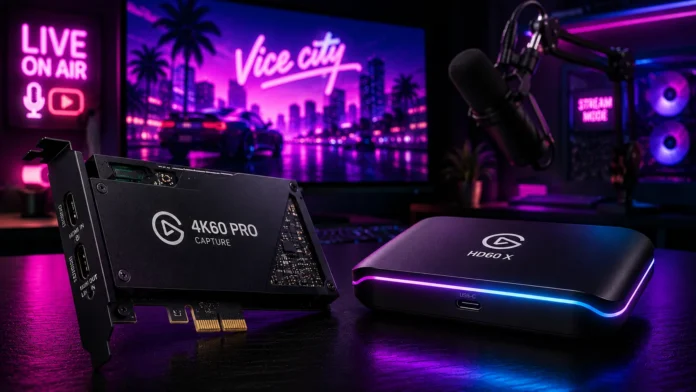
When GTA 6 launches in 2026, it is guaranteed to shatter every viewership record on Twitch and YouTube. Thousands of creators will be broadcasting their first steps into Vice City, making competition for viewers fiercer than ever. If your stream looks pixelated, blurry, or suffers from audio desync, viewers will instantly click away to watch someone else.
While the PS5 and Xbox Series X have built-in broadcasting tools, they heavily compress your video quality. To deliver a crisp, professional-grade 4K or 1080p60 stream, you must offload the video encoding to dedicated hardware. In this guide, we break down the best capture card for GTA 6 streaming so your broadcast looks flawless on day one.
For PC owners with a desktop motherboard, the Elgato 4K60 Pro is the undisputed king of internal capture cards, offering zero-latency passthrough and flawless software integration. If you stream from a gaming laptop or prefer an external plug-and-play setup, the AVerMedia Live Gamer ULTRA 2.1 delivers elite HDMI 2.1 features via a single USB-C cable.
Why Built-In Console Streaming Isn’t Enough
Both PlayStation and Xbox allow you to stream directly to Twitch by pressing a button on your controller. While this is great for casual sharing with friends, it is completely unviable for serious content creation. The console is already using 99% of its processing power to render GTA 6’s massive open world. To stream simultaneously, the console aggressively crushes your video bitrate to save power.
Here is why a dedicated capture card is mandatory for professional streams:
| Streaming Feature | Dedicated Capture Card | Native Console Streaming |
|---|---|---|
| Video Bitrate | UNCAPPED Crystal clear visuals during fast driving. | HEAVILY CAPPED Turns blurry and pixelated during fast motion. |
| Overlays & Alerts | FULL CONTROL Use OBS to add dynamic subscriber alerts. | NONE Only captures raw gameplay and basic voice. |
| Audio Mixing | MULTITRACK Separate game audio, Discord, and music. | FLAT All audio is permanently merged into one track. |
| Performance Hit | ZERO Offloads 100% of the encoding stress. | MODERATE Can cause framerate drops in heavy scenes. |
Elgato 4K60 Pro — Best Internal Capture Card
Elgato is the gold standard for content creation hardware. If you have a desktop PC with a spare PCIe slot, an internal capture card is the most reliable, lowest-latency way to capture footage from your PS5, Xbox Series X, or secondary gaming PC.
Elgato 4K60 Pro MK.2
- Form Factor Internal (PCIe x4)
- Max Capture 4K at 60 FPS / 1080p at 240 FPS
- Passthrough Flawless Zero-Lag
- Software Elgato 4K Capture Utility / OBS
Why Elgato Dominates the Streaming Space
The 4K60 Pro MK.2 is an absolute workhorse. It allows you to play GTA 6 on your monitor in glorious 4K HDR while simultaneously sending a pristine 1080p or 4K signal directly to your streaming software (OBS Studio) without any delay. Because it connects directly to your motherboard, you never have to worry about USB bandwidth bottlenecks or cables accidentally unplugging mid-stream.
AVerMedia Live Gamer ULTRA 2.1 — Best External Card
If you stream using a laptop, or you just don’t want to open your computer case to install PC parts, an external USB-C capture card is your best option. AVerMedia has leapfrogged the competition recently by fully embracing the new HDMI 2.1 standard.
AVerMedia Live Gamer ULTRA 2.1
- Form Factor External (USB 3.2 Gen 2 Type-C)
- Max Capture 4K at 60 FPS
- Passthrough 4K at 144Hz (HDMI 2.1)
- Extras Customizable RGB Lighting
Why AVerMedia Excels for Next-Gen Consoles
The biggest selling point of the AVerMedia ULTRA 2.1 is its HDMI 2.1 passthrough. If you own a high-end 4K 120Hz TV or monitor, older capture cards will “lock” your gameplay to 60Hz the moment you plug them in. This AVerMedia card allows you to play your game at the maximum possible refresh rate and resolution while seamlessly beaming the footage to your laptop for streaming.
Before connecting your PS5 to *any* capture card, you must go into the PlayStation settings (Settings > System > HDMI) and turn off “Enable HDCP.” If you leave this copyright protection turned on, your capture card software will only display a black screen.
Which Capture Card Should You Buy? Our Verdict
✅ Buy the Elgato 4K60 Pro If:
- You stream from a dedicated desktop PC
- You want the most stable, internal hardware connection
- You use the Elgato ecosystem (Stream Deck, Key Lights)
✅ Buy the AVerMedia ULTRA If:
- You stream using a gaming laptop or Mac
- You need HDMI 2.1 to play on a 4K 120Hz monitor
- You prefer a simple, portable USB-C setup
Final Thoughts
Your stream’s video quality is your first impression. When millions of viewers are searching Twitch and YouTube for GTA 6 content, a crystal-clear, high-bitrate broadcast proves you take your content seriously. Investing in a premium capture card ensures that the chaotic shootouts and neon-drenched streets of Vice City look exactly as good on stream as they do on your TV.
Frequently Asked Questions — Capture Cards & GTA 6
Do I need a capture card if I am playing GTA 6 on PC?
Does using a capture card lower my framerate?
What is “Passthrough” on a capture card?