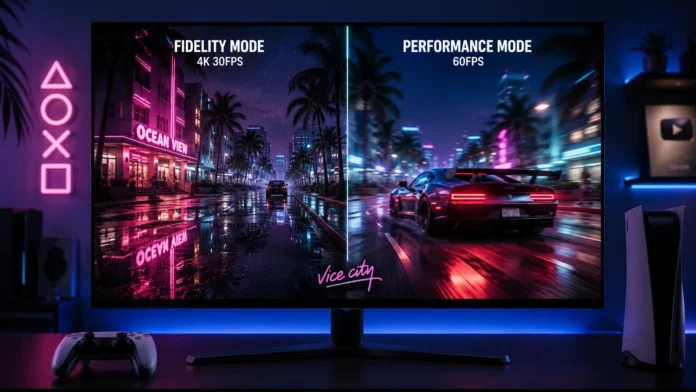
Ever since the first trailer dropped, console gamers have been debating one massive technical question: what will the GTA 6 PS5 frame rate actually be? Rockstar Games is infamous for pushing console hardware to its absolute breaking point. The densely packed beaches of Vice City, featuring advanced ray-traced global illumination and incredibly complex pedestrian AI, require immense processing power.
While PC gamers can simply throw a $1,000 graphics card at the problem, PlayStation 5 owners are locked into their console’s hardware. In this deep dive, we break down exactly how the upgraded RAGE engine handles open-world physics, what resolution targets to expect, and whether you will be playing at a cinematic 30 FPS or a buttery smooth 60 FPS.
If you are playing on the Base PS5, you should expect the default experience to be locked at 30 FPS with dynamic 4K resolution to maintain visual fidelity. While a 60 FPS “Performance Mode” might be included, it will require severe graphical downgrades. To experience a stable, high-fidelity 60 FPS, upgrading to the PlayStation 5 Pro is highly recommended due to its AI upscaling hardware.
Why Open World Games Struggle to Hit 60 FPS
When an indoor, linear game (like Call of Duty) runs at 60 or 120 FPS, it is because the console only has to render a small room at a time. Grand Theft Auto 6 is the exact opposite. When you drive down a highway at 150mph, your console’s CPU is simultaneously calculating the physics of your car, the AI of 50 different pedestrians, weather changes, and traffic patterns.
Here is a breakdown of how the PS5 will likely handle these demands via in-game settings:
| Visual Mode | Target Resolution | Target Frame Rate | Ray Tracing |
|---|---|---|---|
| Fidelity Mode (Base PS5) | Dynamic 4K | Locked 30 FPS | Enabled |
| Performance Mode (Base PS5) | 1080p – 1440p | Unstable 60 FPS | Disabled |
| Pro Enhanced (PS5 Pro) | PSSR Upscaled 4K | Locked 60 FPS | Enabled |
Base PS5: The 30 FPS Reality
The standard PlayStation 5 utilizes a Zen 2 CPU architecture. While this was top-of-the-line in 2020, physics-heavy games from Rockstar are famously CPU-bound. If the CPU cannot calculate the pedestrian logic fast enough, the game cannot produce 60 frames per second, regardless of how good the graphics look.
Base PlayStation 5
- Primary Target 30 FPS (Fidelity First)
- Resolution Dynamic upscaling to 4K
- Compromise Heavy motion blur to mask low frames
- Crowd Density Standard limit
Will There Be a Performance Mode?
It is highly likely that Rockstar will include a 60 FPS Performance Mode for the base PS5 to satisfy competitive GTA Online players. However, expect severe compromises. To achieve 60 FPS on the base hardware, the game will likely drop its internal rendering resolution to 1080p, turn off ray-traced reflections on cars and water, and potentially reduce the density of traffic on the roads.
PlayStation 5 Pro: The 60 FPS Savior
Sony did not release the PS5 Pro by accident. The mid-generation refresh was engineered specifically to handle massive, demanding titles exactly like GTA 6, eliminating the painful choice between graphics and framerate.
PlayStation 5 Pro
- Primary Target Locked 60 FPS
- Secret Weapon PSSR (AI Upscaling Chip)
- Graphics Maintains Ray Tracing at high frames
- Visual Clarity No blurry Performance Mode penalty
How the PS5 Pro Defeats the Bottleneck
The PS5 Pro achieves a flawless 60 FPS through PlayStation Spectral Super Resolution (PSSR). Instead of forcing the console’s GPU to render a massive 4K image, the Pro renders the game at a much lower resolution (freeing up power to maintain 60 FPS). Then, a dedicated AI hardware chip perfectly reconstructs the image to 4K before it hits your TV. It provides the framerate of a budget PC with the visual clarity of a high-end rig.
If you are playing on a modern TV equipped with HDMI 2.1 and Variable Refresh Rate (VRR), the 30 FPS cap on the base PS5 will feel much smoother. VRR syncs your TV’s refresh rate directly to the console, eliminating screen tearing and hiding minor frame drops during explosive sequences.
Is the 60 FPS Upgrade Worth It? Our Verdict
✅ Play on Base PS5 If:
- You are a casual player who prioritizes cinematic graphics
- You play on an older 60Hz or 1080p television
- You do not play high-stakes competitive PvP in GTA Online
✅ Upgrade to PS5 Pro If:
- You refuse to play games at 30 FPS in the modern era
- You want ray-traced car reflections while driving at high speeds
- You own a premium 4K OLED TV and want maximum clarity
Final Thoughts
Frame rate dictates how a game *feels*. Driving, shooting, and flying are all drastically more responsive at 60 FPS. If you are sensitive to input lag or visual stuttering, start planning your hardware upgrades now, as premium consoles are expected to sell out entirely as the 2026 launch window approaches.
Frequently Asked Questions
Did GTA 5 run at 60 FPS when it launched?
Will Xbox Series X have a better frame rate than PS5?
Does turning off motion blur increase FPS?