Many gamers are asking if a GTA 6 8GB RAM setup will be enough to run the game, or if an upgrade is strictly necessary. The anticipation for Grand Theft Auto VI is at an all-time high, especially now that Rockstar Games has confirmed the release window.
The number one question flooding forums, Reddit threads, and Discord servers right now is: “Will GTA 6 run on 8GB RAM?”
It is a valid fear. The gaming landscape has shifted dramatically since GTA 5 launched back in 2013. Modern AAA titles like Cyberpunk 2077 and Alan Wake 2 have effectively abandoned 8GB systems, listing 16GB as the absolute floor. With the new RAGE Engine 9 pushing the boundaries of realism, the hardware requirements for GTA 6 are expected to be steeper than anything we have seen before.
In this deep-dive optimization guide, we will analyze why 8GB RAM is likely a death sentence for your FPS, the technical reasons behind the bottleneck, and the most cost-effective upgrades to get your rig ready for launch day.
⚡ Quick Answer: Is 8GB Enough?
Short Answer: No. It is highly unlikely that GTA 6 will run smoothly on 8GB RAM. With Windows 11 using 3-4GB in the background, you are left with only ~4GB for the game. This will cause massive stuttering, freezing, and crashes. For a stable experience, 16GB is the minimum required upgrade.
The GTA 6 8GB RAM Bottleneck: Why It Is No Longer Enough
To understand the GTA 6 8GB RAM problem, you first need to understand how your computer manages memory. RAM (Random Access Memory) is the ultra-fast workspace your CPU uses to store data it needs right now.
When you have 8GB of RAM installed, you do not actually have 8GB available for gaming. Your PC is constantly running other processes that eat into your budget.
- Windows 11 Idle Usage: 3.5GB to 4.0GB.
- Background Apps (Discord, Steam, Chrome): 1.0GB to 1.5GB.
- Antivirus & Drivers: 500MB.
The Math: If you launch GTA 6 on an 8GB system, the game only has roughly 2.5GB to 3.0GB of actual physical memory to use. Since GTA 6 is expected to require at least 10GB to 12GB of memory for assets, physics, and textures, the math simply doesn’t add up.
The “Pagefile” Nightmare (Why You Lag)
When physical RAM runs out, Windows tries to save your PC from crashing by using “Virtual Memory” (also known as the Pagefile). It starts writing game data to your Hard Drive (HDD) or SSD instead of your RAM.
This is where the performance dies. According to benchmarks from tech authorities like Tom’s Hardware, storage drives are significantly slower than dedicated RAM:
- DDR4 RAM Speed: ~50,000 MB/s
- Fast NVMe SSD Speed: ~5,000 MB/s
- Standard HDD Speed: ~150 MB/s
Your storage drive is significantly slower than RAM. When GTA 6 tries to load the massive Vice City map or a high-speed police chase from your slow drive because your RAM is full, the game will freeze for seconds at a time. This is called “Stuttering.”
Technical Verdict: You generally need RAM to be 10x faster than an SSD. Relying on the Pagefile for an open-world game creates a bottleneck that no Graphics Card can fix.
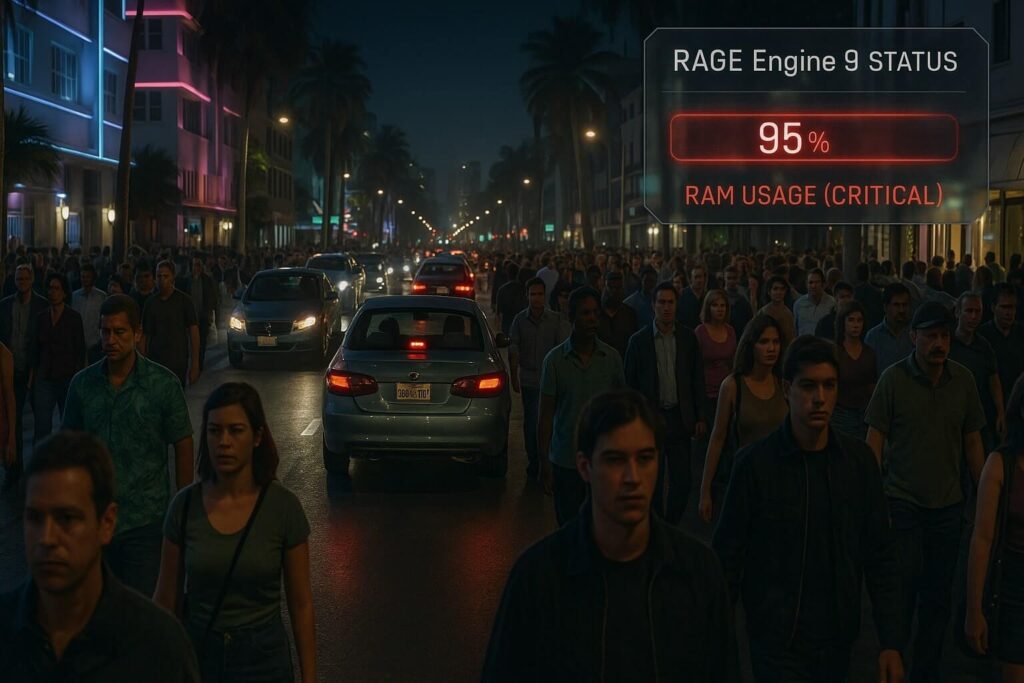
RAGE Engine 9: The Memory Eater
Why is GTA 6 different from GTA 5? Many gamers argue, “But GTA 5 ran fine on 8GB!”
That is true, but GTA 5 was built on RAGE Engine 7, designed for the PlayStation 3 (consoles with only 512MB of RAM). GTA 6 is built on the updated Rockstar Advanced Game Engine (RAGE 9), designed for the PS5 and Xbox Series X.
Here are three confirmed technical features that will devour your RAM:
1. World Density & Advanced AI
GTA 6 isn’t just about graphics; it is about simulation. Every pedestrian in Vice City has complex AI routines, distinct behaviors, and memory patterns. The police system is more advanced, with tactical flanking and coordination. Traffic density is significantly higher. All of this “logic” data must be stored in the RAM for instant access by the CPU. 8GB simply cannot hold the behavioral data for hundreds of NPCs at once.
2. Global Illumination (Ray Tracing)
The new lighting system requires massive amounts of memory bandwidth to calculate shadows and reflections in real-time. If your GPU runs out of VRAM (Video Memory), it spills over into your System RAM. If your System RAM is also full (because you only have 8GB), the game crashes to the desktop.
3. Interior Streaming
Unlike GTA 5, GTA 6 is rumored to have significantly more enterable buildings without loading screens. To make this transition seamless (walking from the street into a nightclub), the RAM must “pre-load” the interior assets before you even walk through the door. 8GB RAM systems will fail this task, resulting in textures that look like muddy clay (Texture Pop-in).
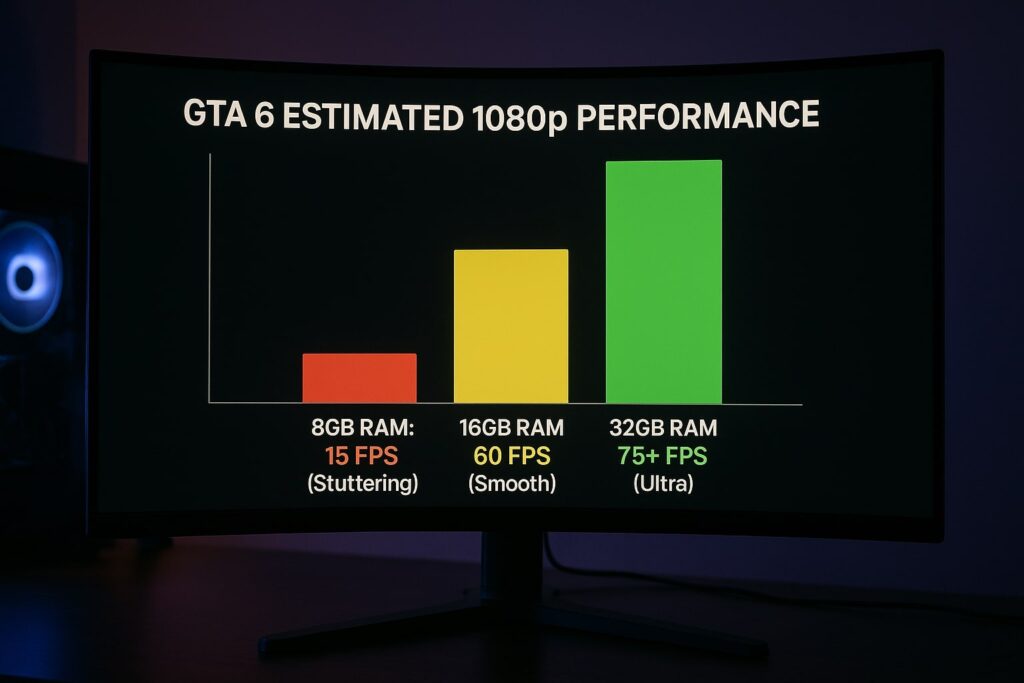
Benchmark Predictions: GTA 6 8GB RAM vs 16GB Performance
Based on the performance of the RAGE Engine in Red Dead Redemption 2 (which struggled on 8GB) and current industry standards, here is our performance prediction for different RAM configurations in GTA 6. You can read more about our testing philosophy here.
8GB RAM (Single Channel)
- Playability: Unplayable
- Expected FPS: 15-20 FPS with frequent freezes.
- Experience: The game may crash during the loading screen. If it loads, driving fast will cause the map to disappear (void rendering). You will experience input lag and heavy stuttering during gunfights.
8GB RAM (Dual Channel – 2x4GB)
- Playability: Very Poor
- Expected FPS: 25-30 FPS (Low Settings).
- Experience: Playable for slow walking, but intense action or high-speed driving will cause major stuttering. You will need to close every other app (Discord, Chrome) to run it.
16GB RAM (The Standard)
- Playability: Smooth
- Expected FPS: 60 FPS (Medium/High Settings).
- Experience: The “Sweet Spot” for 1080p gaming. Minimal stuttering and stable frame times. This is the console standard (PS5 has 16GB shared memory).
32GB RAM (Recommended)
- Playability: Perfect
- Expected FPS: 60+ FPS (Ultra/4K Settings).
- Experience: Required for Max Settings. Ensures zero micro-stutters even with Chrome open in the background. Future-proofs your PC for the next 5 years.
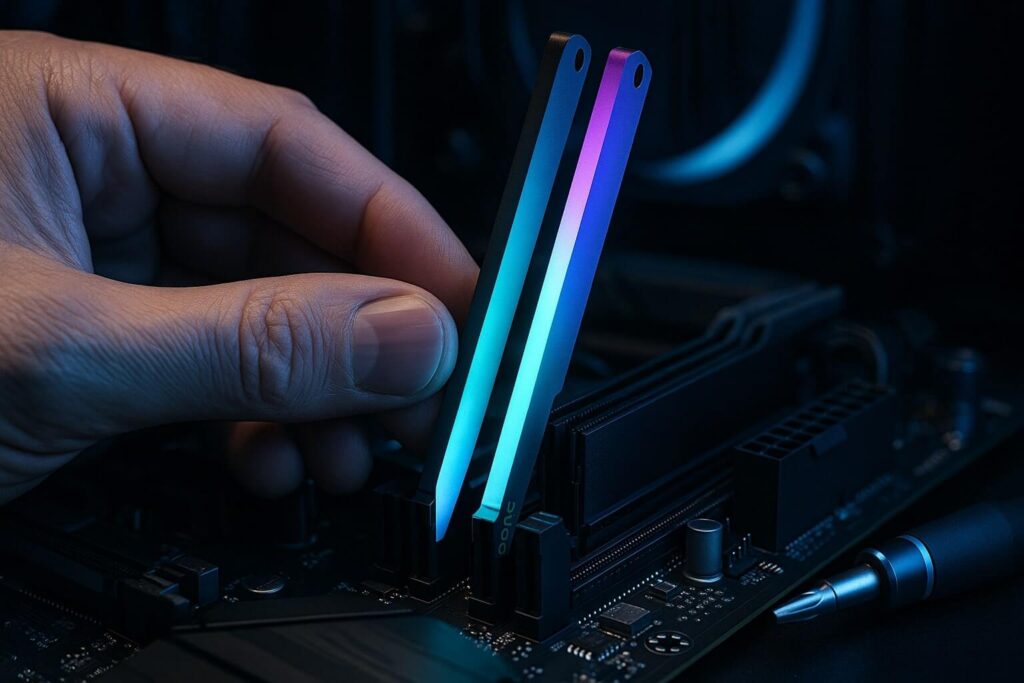
The Solution: Best RAM Upgrades for GTA 6
As an Amazon Associate, we earn from qualifying purchases.
If you are still sitting on 8GB, do not panic. RAM is currently one of the cheapest and easiest PC components to upgrade. You do not need to buy a whole new computer; usually, you just need to add a stick or replace your kit for under $50.
Here are the best kits we recommend based on stability, speed, and price.
1. Best DDR4 Upgrade (Most Common)
If your PC was built before 2022, you likely use DDR4 RAM. Check your motherboard specs to be sure.
- Our Top Pick: Corsair Vengeance LPX 16GB (2x8GB) 3200MHz
- Why: This is the legendary standard for gaming. It has bulletproof reliability, a low-profile design that fits under large CPU coolers, and 3200MHz is the perfect speed for GTA 6 optimization.
2. Best DDR5 Upgrade (Future Proof)
If you have a newer CPU (Intel 12th Gen/13th Gen/14th Gen or AMD Ryzen 7000 series), you likely need DDR5 RAM.
- Our Top Pick: G.SKILL Trident Z5 RGB 32GB (2x16GB) 6000MHz
- Why: DDR5 is faster, but 8GB sticks of DDR5 perform poorly due to architecture limits. If you are on DDR5, you should jump straight to 32GB. This kit handles GTA 6 and any background streaming apps easily.
3. Best Laptop Upgrade (SODIMM)
Laptop gamers, we didn’t forget you. Most “Budget Gaming Laptops” (like the Acer Nitro or HP Victus) ship with 8GB RAM to save costs. Upgrading this is the best way to unlock performance.
- Our Top Pick: Crucial RAM 16GB DDR4 3200MHz Laptop Memory
- Why: Crucial is known for high compatibility with almost all laptop brands (Dell, HP, Acer, Lenovo, ASUS).
Important Warning: Before buying, check your motherboard manual or use a free tool like CPU-Z to verify if you need DDR4 or DDR5. They are physically different and are NOT compatible with each other!
GTA 6 8GB RAM vs. 8GB VRAM: Don’t Get Confused
A common point of confusion for beginners is the difference between System RAM and VRAM.
- System RAM: The sticks on your motherboard (e.g., Corsair/G.Skill). Used by Windows and the CPU. This is what we are discussing today (8GB vs 16GB).
- VRAM (Video RAM): The memory built inside your Graphics Card (e.g., RTX 3060 12GB). Used purely for graphics textures.
Can 8GB VRAM run GTA 6?
Yes! If you have a graphics card with 8GB VRAM (like an RTX 4060 or RX 6600), you will be fine for 1080p gaming.
However, having 8GB of System RAM is much worse than having 8GB of VRAM. You can lower graphics settings (like Texture Quality) to fix VRAM issues, but you cannot “lower settings” enough to fix the Windows System RAM requirement. The Operating System always needs its share.
Have a specific question about your VRAM? Feel free to contact us and we might feature your question in the next guide.
How to Check If You Are Ready
Not sure what RAM you have? Follow these steps immediately to check your current specs:
- Press
CTRL + SHIFT + ESCon your keyboard to open Task Manager. - Click the Performance tab (the icon that looks like a graph).
- Click Memory in the left sidebar.
- Look at the top right corner. Does it say 8.0 GB or 16.0 GB?
- Look at the bottom right under “Slots used.”
- If it says 1 of 2 (or 1 of 4): You are lucky! You have an empty slot. You can just buy one more matching 8GB stick to reach 16GB.
- If it says 2 of 2: You need to remove your old sticks and buy a new 2x8GB kit.
The “Dual Channel” Secret
If you upgrade, never run a single stick of 16GB RAM. Always use two sticks of 8GB (2x8GB).
Why? Dual Channel memory doubles the data bandwidth between your CPU and RAM. For open-world games like GTA 6, running in Single Channel mode can reduce your FPS by up to 20%, even if you have enough capacity.
Final Verdict: Is GTA 6 8GB RAM Viable?
The era of 8GB gaming is officially over. With the release of GTA 6, 16GB is becoming the absolute minimum entry requirement for PC gaming.
Attempting to play the most advanced open-world game ever created on GTA 6 8GB RAM hardware will result in a frustrating experience full of stuttering and crashes. The upgrade to 16GB is affordable, easy to install, and provides the best “bang for your buck” performance boost possible.
Don’t let $40 worth of hardware ruin your experience of Vice City. Prepare your PC now, so you are ready the second the game launches.