
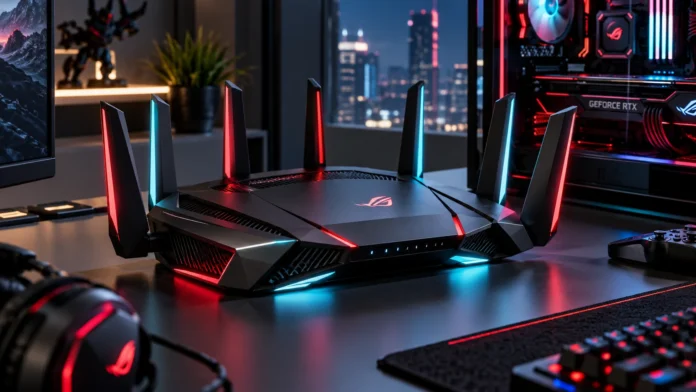
There is nothing worse than lining up the perfect shot, only for a lag spike to rubber-band you into a wall. If you are constantly dealing with packet loss, disconnects, or high latency in competitive lobbies, your internet service provider isn’t always to blame—your router is. Standard household routers get completely choked by smart TVs, phones, and background downloads. To dominate online lobbies in 2026, you need networking gear built to prioritize gaming packets and utilize uncluttered 6GHz bands. Whether you want to future-proof your setup or secure the absolute best gaming router for low ping, here are the top Wi-Fi 7 and Wi-Fi 6E powerhouses designed to kill lag for good.
Evaluating networking hardware requires looking far beyond standard wireless speeds. Specifically, competitive multiplayer games demand advanced Quality of Service (QoS) engines and multi-band fail-safes that prevent other household devices from stealing your bandwidth. Furthermore, upgrading to hardware supporting Multi-Link Operation (MLO) ensures your data travels across multiple wireless frequencies simultaneously. As a result, securing the right equipment completely stabilizes your connection. We will help you navigate port speeds, mesh coverage, and wired cable options to find your ideal networking upgrade.
- 1. TP-Link Archer GE800: The Best Gaming Router for Low Ping (Wi-Fi 7)
- 2. ASUS ROG Rapture GT6: Best Mesh for Whole-Home Coverage
- 3. Netgear Nighthawk Pro Gaming XR1000: Ultimate Lobby Control
- 4. UGREEN Cat 8 Ethernet Cable 6FT: The Ultimate Wired Upgrade
- 5. Direct Hardware Specifications
- 6. Final Verdict on Networking Upgrades
- 7. Frequently Asked Questions
Analyzing the Best Gaming Router for Low Ping Options
First, our comprehensive guide breaks down bleeding-edge Wi-Fi 7 hardware engineered for maximum throughput. Next, we examine multi-node mesh systems built to eliminate dead zones in larger homes. In addition, this article details specialized software routers equipped with regional geo-fencing. We also provide a direct performance chart for fast technical reading. To help you secure your hardware quickly, verified Amazon affiliate links are integrated below.
Ultimately, your ideal best gaming router for low ping depends on your home layout. The TP-Link Archer GE800 stands as the ultimate future-proof Wi-Fi 7 powerhouse for raw wireless speed. Conversely, if you need to eliminate lag across multiple rooms without running cables through walls, the ASUS ROG Rapture GT6 mesh system is unmatched.
TP-Link Archer GE800: The Best Gaming Router for Low Ping (Wi-Fi 7)
Gamers who want absolute zero compromises and are ready to embrace the massive throughput of Wi-Fi 7 will find the Archer GE800 to be an absolute monster. Wi-Fi 7 introduces Multi-Link Operation (MLO), which allows your console or PC to send and receive data across multiple frequency bands simultaneously, drastically reducing wireless latency. You can explore the official technical definitions on the Wi-Fi Alliance official Wi-Fi 7 portal.
Equipped with dual 10G ports and a dedicated game acceleration panel, it prioritizes your gaming traffic above every other connected device in the house. If you want a wireless connection that genuinely rivals a hardwired desktop setup, this router sets the modern industry benchmark.
ASUS ROG Rapture GT6: Best Mesh for Whole-Home Coverage
If your gaming setup is on the opposite side of the house from your modem, a single standalone router will never deliver stable latency. The ASUS ROG Rapture GT6 is a gaming-first mesh system designed specifically to solve this problem. It utilizes a dedicated high-speed wireless backhaul to ensure communication between nodes never degrades, keeping your ping rock-solid even through multiple concrete walls.

Featuring ASUS’s Triple-Level Game Acceleration, it actively optimizes traffic from your device all the way to the game server. It represents the ultimate solution for gamers in large multi-story homes who refuse to accept packet loss.
Netgear Nighthawk Pro Gaming XR1000: Ultimate Lobby Control
The Netgear Nighthawk XR1000 is legendary among competitive shooters for one specific reason: **DumaOS**. This specialized router operating system was built specifically to combat bad matchmaking. The integrated Geo-Fencing feature allows you to literally draw a boundary on a map, forcing your game to only connect you to local servers and locking your ping in the single digits.
Additionally, its advanced QoS engine prevents bandwidth hogging from family members streaming 4K video. If you play fast-paced multiplayer titles where micro-second latency decides the winner, this software control is invaluable.
UGREEN Cat 8 Ethernet Cable 6FT: The Ultimate Wired Upgrade
Securing the best gaming router for low ping is only half the battle; physical connectivity matters just as much. If your console or PC is close enough to your router, hardwiring remains the golden rule. Upgrading to the UGREEN Cat 8 High Speed Braided Cable ensures zero electromagnetic interference from surrounding power cords.
Cat 8 cables support up to 40Gbps data transfer speeds and 2000MHz bandwidth. It is the cheapest, most effective add-on you can purchase to guarantee zero cable-induced packet loss. Once your ping is locked down, you can safely follow our GTA Online money guide or our stream capture card tutorials without fearing a disconnect during a high-stakes broadcast.
Direct Hardware Specifications
To help you visualize these differences, here is a detailed hardware breakdown. This chart compares Wi-Fi standards, maximum speeds, and standout routing features across each top model.
Final Verdict on Networking Upgrades
In conclusion, locking down the best gaming router for low ping completely eliminates frustrating lag spikes and ensures your competitive inputs register instantly. Undoubtedly, the TP-Link Archer GE800 provides the absolute highest wireless throughput and future-proofing available on the consumer market today.
On the other hand, players struggling with thick walls in large homes should select the ASUS ROG Rapture GT6 mesh system to maintain a bulletproof connection anywhere. Evaluate your home layout carefully before checking out. You should use our secure Amazon hardware links below to finalize your network upgrade today.
Frequently Asked Questions — Gaming Routers
Does Wi-Fi 7 actually lower ping in games?
What is QoS and do I need it for gaming?
How does geo-fencing lower your ping?
Is Ethernet always better than Wi-Fi for gaming?

