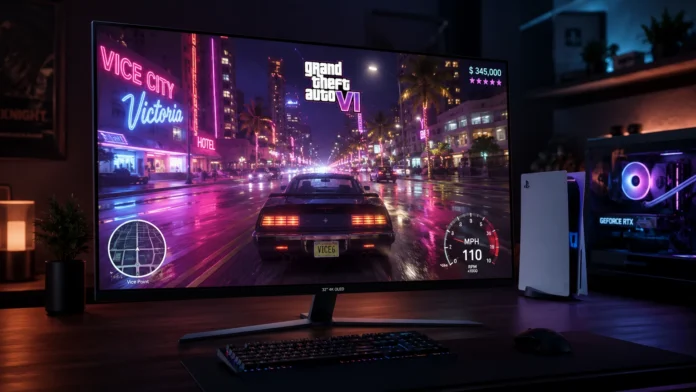
You can have the most powerful PC or a brand-new PlayStation 5 Pro, but if you are playing Grand Theft Auto 6 on a cheap, edge-lit LCD monitor, you are completely ruining the experience. Rockstar Games’ upgraded RAGE engine is built around a revolutionary global illumination lighting system. From the blinding Miami-inspired sun reflecting off the Leonida ocean to the deep, inky blacks of a neon-lit Vice City nightclub, the game is designed specifically for High Dynamic Range (HDR).
Many gamers mistakenly believe they are experiencing HDR just because their monitor box says “HDR400.” In reality, true HDR requires a display panel that can turn off individual pixels entirely to create perfect, infinite blacks next to blindingly bright highlights. If you want to experience the visual leap that Rockstar intended in 2026, you must upgrade to an OLED or high-end Mini-LED display. In this guide, we break down the absolute best 4K gaming monitors for GTA 6 across all platforms.
For the ultimate best 4K gaming monitors for GTA 6, the Alienware AW3225QF is our top choice, offering a beautifully curved QD-OLED panel with native Dolby Vision for PS5 and PC players. If you prefer a traditional flat screen with unbeatable color accuracy and value, the MSI MPG 321URX is the 4K champion. For extreme PC enthusiasts, the Asus ROG Swift OLED PG32UCDP offers a unique dual-mode 4K/240Hz and 1080p/480Hz panel.
The OLED Revolution: Why “Fake” HDR Ruins Games
Standard IPS and VA monitors use a large backlight that shines through the entire screen. When you look at a dark alleyway in GTA 6 on a standard monitor, the “black” shadows actually look milky gray because the backlight is bleeding through. OLED (Organic Light-Emitting Diode) panels do not have a backlight. Every single pixel generates its own light and can turn itself off completely.
| Monitor Model (32-Inch) | Panel Technology | Refresh Rate | Best Feature for GTA 6 |
|---|---|---|---|
| Alienware AW3225QF | Curved QD-OLED | 4K @ 240Hz | Dolby Vision & Console Immersion |
| MSI MPG 321URX | Flat QD-OLED | 4K @ 240Hz | Unbeatable Value & Color Volume |
| Asus ROG PG32UCDP | Flat WOLED | 4K @ 240Hz | Dual-Mode Hardware Switching |
If you are planning to play Grand Theft Auto 6 on a PlayStation 5 or Xbox Series X, your monitor must have HDMI 2.1 ports. Older monitors with HDMI 2.0 cannot transmit a 4K signal at 120Hz with HDR and Variable Refresh Rate (VRR) enabled simultaneously. All the monitors on this list feature full-bandwidth HDMI 2.1 ports.
Alienware AW3225QF: The Console & Immersion King
Alienware was the first manufacturer to drop a 32-inch 4K QD-OLED panel on the market, and it remains one of the absolute best screens money can buy. What sets the AW3225QF apart from the competition is its gentle 1700R curve and native Dolby Vision support.
Alienware AW3225QF
- Panel Type 32″ QD-OLED (Quantum Dot)
- Console Tech Native Dolby Vision HDR support
- Response Time 0.03ms (Zero motion blur while driving)
- Warranty 3-Year burn-in replacement guarantee
Why the Curve Works
While some graphic designers hate curved monitors because they distort straight lines in Photoshop, the curve is phenomenal for open-world games like GTA 6. Sitting at a desk, the 32-inch curved screen wraps slightly around your peripheral vision, making driving down Ocean Beach in first-person view feel incredibly realistic.
MSI MPG 321URX: The Flat-Screen Value Hero
If you despise curved monitors and want a pristine, flat display that can pull double-duty for video editing and gaming, the MSI MPG 321URX is an absolute masterpiece. It uses the exact same 3rd-generation Samsung QD-OLED panel as the Alienware but often retails for significantly less.
MSI MPG 321URX
- Color Volume Quantum Dots provide the brightest neon colors
- Connectivity 90W USB-C Power Delivery for laptops
- Multi-Tasking Built-in KVM switch for 2-PC setups
- Cooling Custom graphene heatsink to prevent burn-in
Asus ROG Swift PG32UCDP: The PC Enthusiast Flex
PC gamers who split their time between immersive story games like GTA 6 and hyper-competitive shooters like Valorant or Counter-Strike usually have to choose between a high-resolution 4K screen or a blurry, ultra-fast 1080p screen. The Asus ROG Swift OLED PG32UCDP solves this with a literal hardware cheat code.
With the press of a single button on the monitor’s chin, the screen dynamically switches from 4K at 240Hz (perfect for enjoying Vice City’s graphics) down to 1080p at a staggering 480Hz (perfect for competitive esports). It utilizes a matte WOLED panel from LG, providing deeper blacks in brightly lit rooms compared to QD-OLEDs.
✅ Choose QD-OLED (Alienware/MSI) If:
- You play in a dim or dark room where light won’t hit the screen directly.
- You want the most vibrant, punchy, saturated neon colors possible.
- You prefer a glossy screen coating for maximum clarity.
✅ Choose WOLED (Asus ROG) If:
- You play in a bright room with windows behind you (matte coating reduces glare).
- You play competitive shooters and want the dual-mode 480Hz feature.
- You prefer slightly deeper blacks when ambient light is present.
Final Thoughts
Do not bottleneck your $1,000 graphics card or your PS5 Pro with a washed-out IPS panel. Experiencing Vice City at night on an OLED monitor with zero backlight bleed is a transformative experience. Lock in your display upgrade now so you are ready to witness Rockstar’s RAGE engine in its truest form.
Frequently Asked Questions — 4K Displays
Should I be worried about OLED burn-in with GTA 6?
Can the PS5 even run GTA 6 at 4K 120Hz?
Is Mini-LED better than OLED for brightly lit rooms?