
When Grand Theft Auto VI finally drops in 2026, it is guaranteed to be an absolute storage monster. With incredibly dense cityscapes, uncompressed audio, and high-resolution 4K textures, early estimates suggest the download could easily consume over 150GB of your console’s hard drive. Because the PlayStation 5 only features about 667GB of usable internal space out of the box, players are scrambling to find the best external hard drive PS5 GTA 6 setup to free up room. Ultimately, deleting your favorite games just to make space for Vice City is a frustrating, avoidable nightmare. For instance, redownloading massive Call of Duty or Fortnite files over a slow internet connection takes hours. Alternatively, moving them to a USB drive takes mere minutes. Therefore, securing a high-capacity storage solution before launch day ensures your console is perfectly optimized. Today, we break down the definitive USB options available to safeguard your digital library.
Navigating Sony’s complex storage rules can easily confuse everyday console owners. Furthermore, buying the wrong type of drive means wasting your money on a product that won’t actually perform the way you expect. Specifically, players are desperately searching for a reliable PS5 external storage GTA 6 USB drive 2026 setup that balances massive capacity with fast transfer speeds. Consequently, understanding the difference between an external HDD (Hard Disk Drive) and an external SSD (Solid State Drive) is highly critical. For example, a 4TB HDD gives you massive space to archive your entire library for a very low price. Meanwhile, a premium SSD moves files back to your console significantly faster. To help you manage your massive digital library effortlessly, our hardware team has ranked the absolute best plug-and-play drives on the market.
Master Your Digital Inventory
First, we will detail a critical technical limitation every PS5 owner must understand before buying a USB drive. Next, our guide highlights the top-rated mechanical and solid-state drives that completely solve your storage anxiety. In addition, this article provides a direct comparison table to help you choose between raw capacity and transfer speed. To make your hardware upgrade seamless, fast-access Amazon links are provided below. Simply use them to secure your storage drive and prepare your console for Leonida.
Ultimately, when searching for the best external hard drive PS5 GTA 6 players can buy, the Seagate Game Drive for PS5 (4TB) is the absolute best value for massive archival storage. In particular, if you prioritize incredibly fast transfer speeds over maximum capacity, the Samsung T7 Shield Portable SSD is a flawless premium option. Furthermore, gamers must understand one crucial Sony rule: You cannot play PS5 games directly from a USB drive. You can only store PS5 games on them. To play GTA 6, it must reside on your internal SSD. Therefore, external USB drives are best used as “cold storage” vaults to archive your other games, freeing up your internal space for Vice City.
The Golden Rule of PS5 External Storage
Before you spend a single dollar, we must clarify exactly how Sony allows you to use external USB drives on the PlayStation 5. The PS5 features an incredibly fast, custom-built internal NVMe SSD that loads game assets in milliseconds. Because external USB ports cannot match this extreme speed, Sony implemented a strict hardware rule.
You can store PS5 games on an external USB drive, but you cannot play them from it. When you want to play a PS5 game that you have archived on your USB drive, you must transfer it back to the internal console storage. (Note: You CAN play older PS4 games directly from the external drive without transferring them.)
Do not buy an external USB drive expecting to launch GTA 6 directly from it. Instead, use your new massive 4TB external drive to archive all of your other PS5 titles (like Spider-Man 2 or Cyberpunk 2077). This immediately frees up your fast internal storage so GTA 6 can install and run flawlessly.
Best Overall Capacity: Seagate Game Drive (4TB)
If you want the absolute most storage space for your money, the officially licensed Seagate Game Drive for PS5 is the undisputed champion. This is a traditional mechanical HDD, meaning it spins physical disks inside the casing. Because of this older technology, it is incredibly cheap to produce massive storage capacities.
For roughly $79, you secure 4TB of space. To put that into perspective, that is enough room to store roughly 40 massive AAA games simultaneously. Featuring a slick design that perfectly matches the white and blue aesthetic of the PS5, it plugs directly into the back of your console and requires zero external power cables. If your primary goal is building a massive “vault” so you never have to delete a game again, this is your best option.
Best Transfer Speeds: Samsung T7 Shield Portable SSD
While mechanical HDDs are cheap and massive, they suffer from slow transfer speeds. Moving a 100GB game from the Seagate drive back to your internal PS5 storage can take anywhere from 10 to 15 minutes. If you are impatient and want lightning-fast transfers, you must upgrade to an external Solid State Drive (SSD).
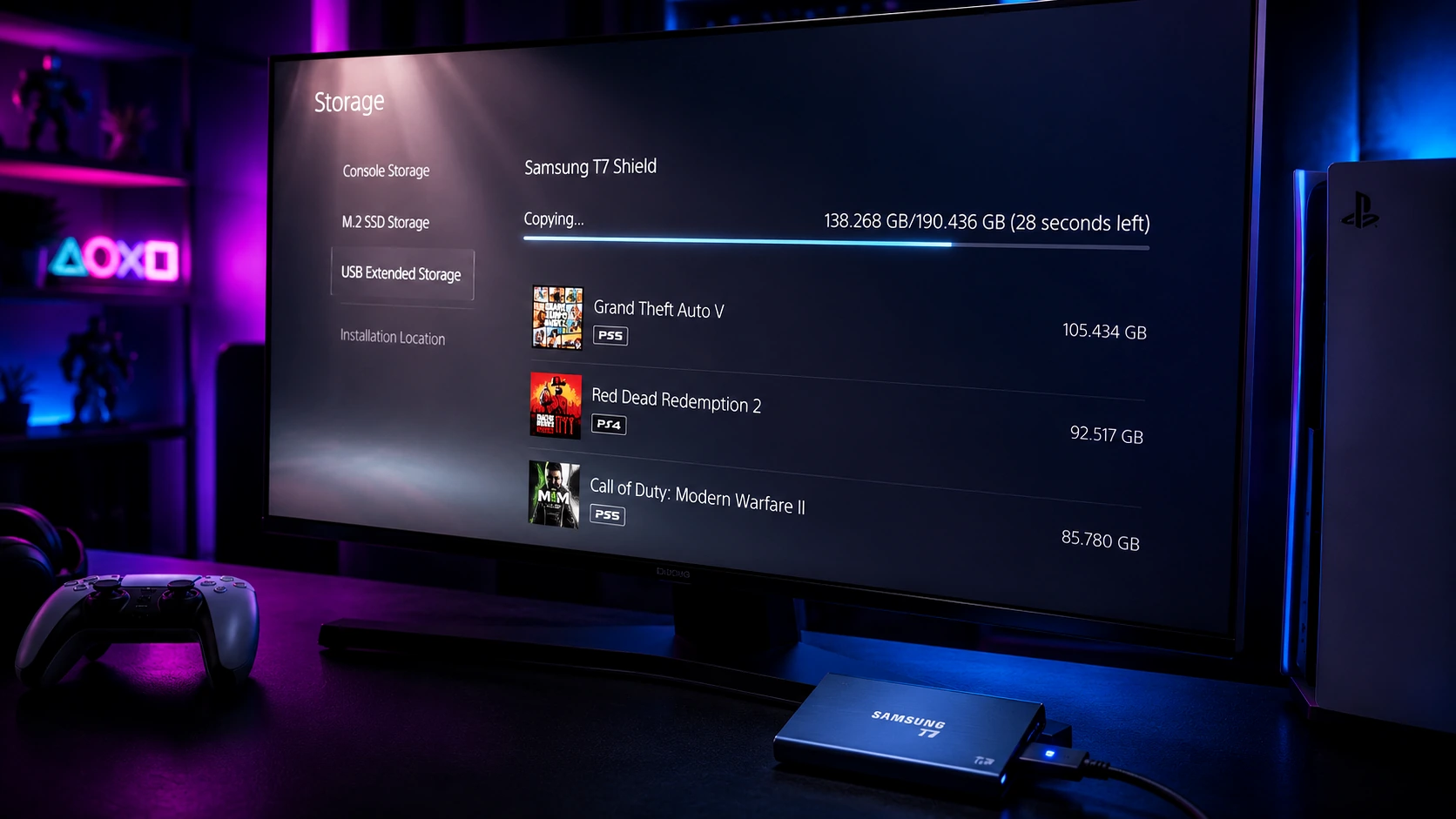
The Samsung T7 Shield is practically indestructible and incredibly fast. Utilizing USB 3.2 Gen 2 technology, it boasts read and write speeds exceeding 1,000 MB/s. This means that transferring games back and forth between your console and the drive takes a fraction of the time compared to traditional hard drives. While you will pay more money for less total capacity (usually 1TB or 2TB), the sheer speed and rugged durability make it the ultimate premium choice.
Best Budget Archival: WD My Passport (4TB)
If you love the massive capacity of the Seagate drive but want to save an extra $10 to $15, Western Digital has you covered. The WD My Passport has been an industry standard for external storage for over a decade, known for incredible reliability.
For roughly $69, you secure the same 4TB of archival space as the Seagate model. It doesn’t feature the PlayStation branding or the matching white aesthetics, but the internal performance is practically identical. It is a fantastic, stealthy black drive that sits quietly next to your console, keeping dozens of your massive digital games perfectly safe until you are ready to play them again.
Comparing the Top USB Drives
Choosing your upgrade comes down to one simple question: Do you value massive capacity, or do you value lightning-fast file transfer speeds? Here is the direct breakdown of the current market leaders.
When connecting any high-speed external drive to your PS5, always plug it into the USB-A ports located on the back of the console. The front USB-A port is significantly slower and is meant only for charging your controllers.
The Final Verdict on Your PS5 Storage
In conclusion, ignoring your storage limits is a guaranteed way to experience frustration on launch day. Undoubtedly, being forced to permanently delete beloved games just to make space for a new download feels terrible. For absolute peace of mind, securing an external storage vault eliminates this digital anxiety completely.
However, you must remember the golden rule: these drives are for archiving, not playing next-gen titles. Most importantly, simply plugging in a massive 4TB Seagate drive allows you to offload your entire back catalog, keeping your ultra-fast internal PS5 SSD wide open and perfectly ready for the massive demands of Leonida.
Therefore, review your console’s storage menu immediately. Waiting until the game is out to realize you only have 20GB of free space is a massive mistake. Secure your premium USB storage today, clear out your internal drive, and prepare to dominate Vice City without any compromises.
Frequently Asked Questions — PS5 Extended Storage
Can I play GTA 6 directly off an external USB drive?
Can I play older PS4 games off the external drive?
Is an external SSD better than an external HDD?
How do I format the USB drive for my PS5?
Can I use a USB hub to connect multiple drives?

